Independence Day AI Photo Editing Prompts: 6 Patriotic 15 August Portraits to Copy

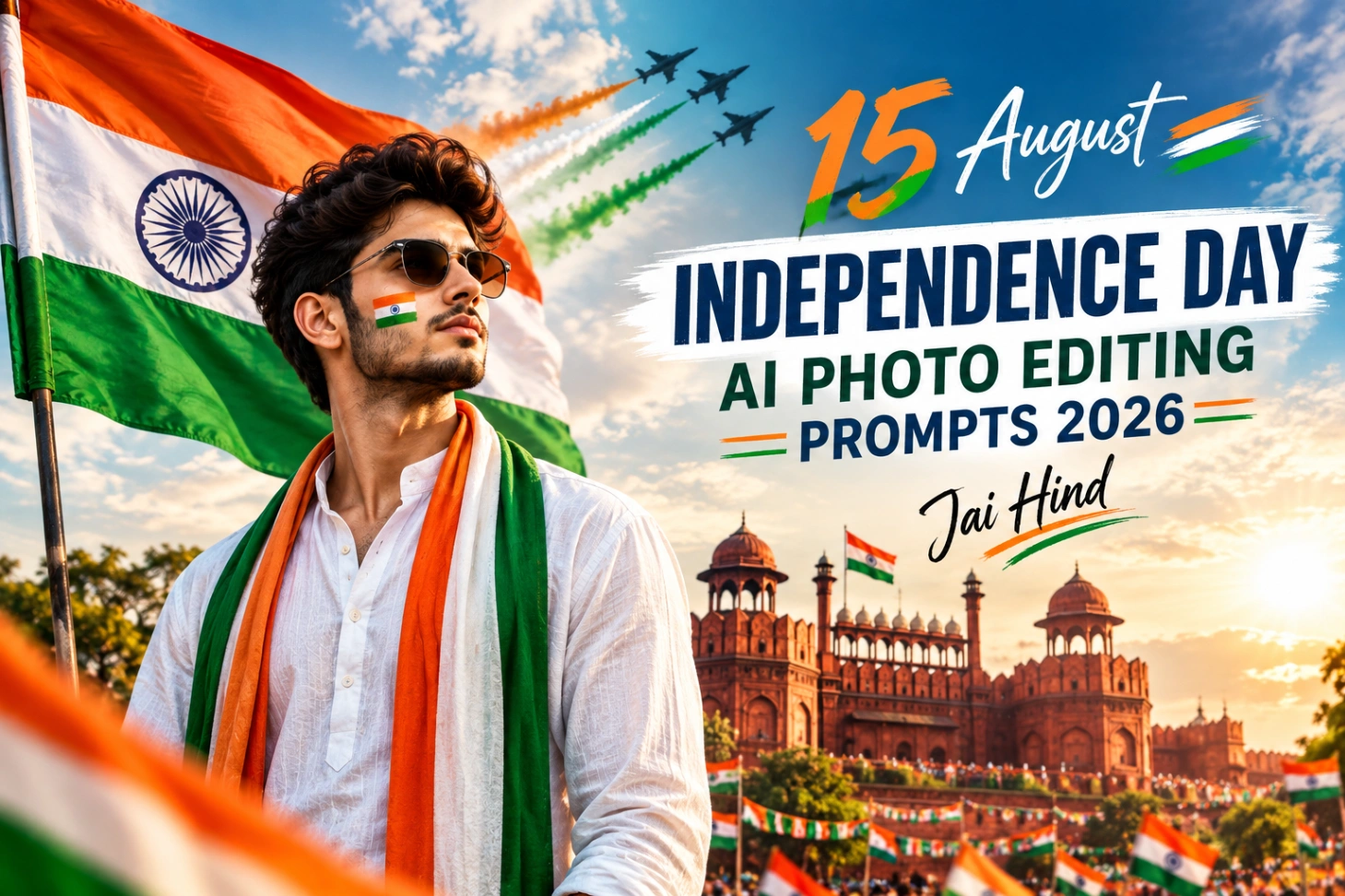
On 15 August, a plain DP does not feel enough. Everyone wants the flag behind them, the tricolor in the air and that proud morning light, without standing in a queue at a studio. That is exactly what these independence day ai photo editing prompts do. Upload one clear photo, paste a prompt, and the tool builds the full patriotic scene around your real face. This page has six full 15 august ai photo editing prompts, a set of one-line versions for small text boxes, and the checks that keep the Indian flag looking correct in every ai independence day photo editing result.

Start With the Right Photo
AI keeps what you give it, so give it something clean. A front-facing portrait with natural light and no beauty filter gives the most reliable face match. Half-body shots suit DP and poster prompts, while full-body photos work better for monument, parade and mountain scenes where your whole pose becomes part of the picture. Avoid screenshots and heavily compressed forwards, they soften the face before the edit even begins.
Six Ways to Wear the Tricolor
Each prompt below builds a different 15 August mood. All of them are written to protect your face first and decorate second.
White Kurta at the Red Fort
The classic one: crisp white kurta, tricolor stole, and the Red Fort flag-hoisting ceremony behind you at sunrise.

Surrounded by Tricolor Smoke
A dramatic DP style, with saffron, white and green smoke curling around a white shirt and tricolor scarf.

The Whole Family in One Frame
One prompt that dresses everyone in traditional outfits and sets the group in a decorated garden full of flags and balloons.

A Salute to the Armed Forces
A respectful tribute scene: ceremonial outfit, a grand flag, and soldier silhouettes marching under a sunrise sky.

Back to the School Stage
Pure nostalgia. A neat uniform, a tricolor badge and the flag-hoisting stage, surrounded by students and petals.

Planting the Flag Above the Clouds
The adventure version: trekking gear, a tricolor scarf, and the flag going up on a mountain summit at sunrise.

Short on Space? Use a One-Line Prompt
Some apps cut long text. When that happens, these short versions carry the same ideas in a single line each:
Get the Flag Right Before You Share
One detail decides whether a patriotic edit looks respectful or careless: the flag itself. In the Indian flag, saffron always sits on top, white in the middle and green at the bottom, with the navy blue Ashoka Chakra, which has 24 spokes, in the centre of the white band. AI tools still flip this order surprisingly often, so look at the flag before you look at anything else. If the colours are wrong, regenerate instead of posting.
Check the hands too, especially in flag-holding poses, and never trust the tool with words. If your design needs a Happy Independence Day line, leave clean space in the image and add the text yourself in any editor, where the spelling stays in your control. Match the ratio to the platform as well: 4:5 for the Instagram feed, 9:16 for stories and WhatsApp status, 1:1 with the face centred for a DP, and 16:9 if the same image must double up as a YouTube thumbnail.
New to this style of editing? The flow is always upload, paste, generate, and it is the same method behind our ChatGPT photo editing prompts and the Gemini photo edit code copy set. For a louder, poster-style Gen Z direction, try the Cockroach Janata Party photo editing prompts, and for strong cinematic portraits, the Dhurandhar Akshaye Khanna AI photo editing prompts. August also brings Raksha Bandhan, so the Raksha Bandhan AI photo editing prompts are ready when the festival arrives.
15 August Edit Questions, Answered
Which prompt is best for a WhatsApp DP?
The tricolor smoke portrait works best as a DP because the face stays large and central. Generate it in a 1:1 square ratio and keep the face in the middle, since WhatsApp crops the picture into a circle.
The tool keeps changing my face. What should I do?
Upload a sharper photo and start the prompt with a clear line asking it to preserve your exact face and identity, like the prompts on this page do. Blurry or filtered photos are the main reason faces drift.
The flag colours came out in the wrong order. Can I fix it?
Not reliably by editing. Mention the order inside the prompt itself, saffron on top, white in the middle, green at the bottom, and regenerate. It is faster than trying to repair a wrong flag later.
Can I add Happy Independence Day text to the photo?
Yes, but add it yourself after generating. AI image tools often misspell long words, so leave empty space in the composition and place the text with a normal editing app for a clean, correct finish.