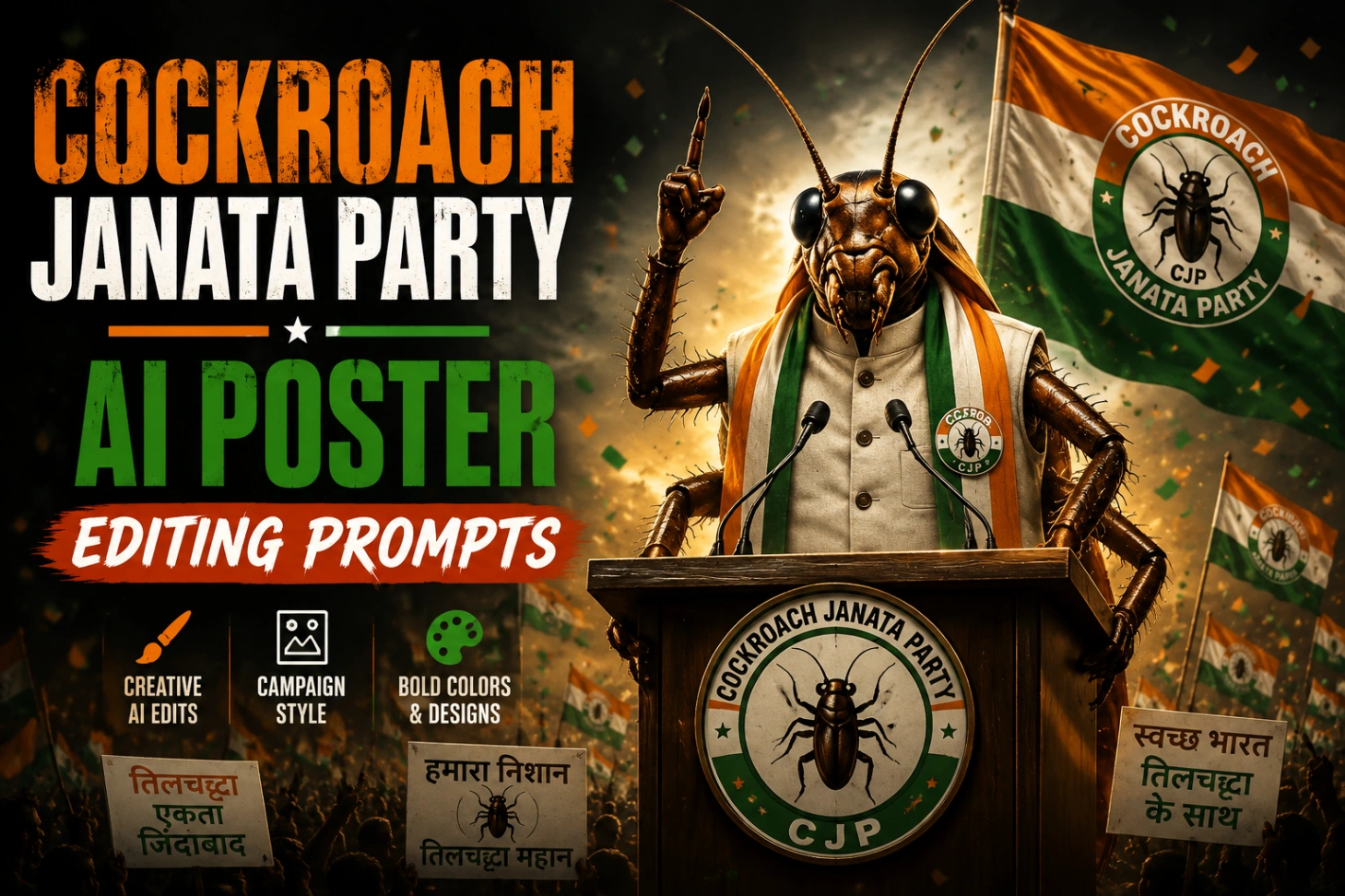
Cockroach Janata Party Photo Editing Prompts: CJP Posters

Some trends are hard to explain to anyone who was not online when they landed, and this is one of them. The Cockroach Janata Party is a completely fictional, satirical “party” that young India adopted as a joke, complete with rallies, slogans and election-style posters starring themselves. All it takes is one clear portrait and a cockroach janata party prompt: the AI builds the crowd, the podium and the tricolor chaos around your face. This page has the four prompt styles that get shared the most.

A Joke Party With Surprisingly Serious Posters
Part of the joke is how real the artwork looks. A good cockroach janata party ai photo copies everything from genuine campaign design: the massive crowd, the distressed bold lettering, the garlands, the raised fist, the leader framed dead centre like a flex banner outside an election office. Underneath the satire, there is a relatable hook too. The cockroach is the creature that survives everything and gets stepped on by everyone, which is exactly how a lot of young people describe their own situation, so the posters work as both comedy and quiet protest.
That is also why the edits spread so quickly. Each poster is personalised, takes under a minute to generate, and looks impressive enough that friends immediately want their own version with their own face on it.
Four Posters, Four Moods: The Prompt Collection
Every cockroach janata party photo editing prompts set below locks your face from the uploaded photo, so the leader on the poster is recognisably you. Copy one, paste it into ChatGPT or Gemini with your portrait, and generate. Start with the night protest if you want the most dramatic result.
Style 1: The Night Protest at India Gate. A roaring crowd, flags, smoke and one very confident cockroach addressing the nation from a podium.
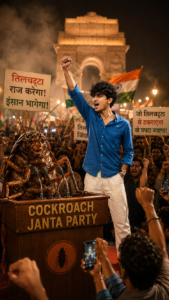
Style 2: The Election Flex Banner. Confetti, placards and giant party lettering, built like the printed banners that cover every wall during real election season.
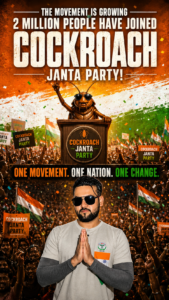
Style 3: The Podium Speech. You at the microphone in kurta and Nehru jacket, hands folded, with a full crowd of suited cockroach supporters behind you.

Style 4: The Golden Hour Support Poster. A cleaner 4:5 frame at sunset with the party name glowing over the podium, and the strictest face-lock wording of the four.

Hit the button below once you have picked a style. It opens ChatGPT, where all four prompts run exactly as written, and the same text works pasted into Gemini as well.
Running a Prompt Without Losing Your Face
The whole effect collapses if the person on the poster does not look like you, so treat your face like the one non-negotiable part of the design. Upload a sharp, front-facing portrait in daylight, with no sunglasses and no heavy filter. Then paste the prompt, and before generating, check that the face-lock sentence is still in it. Lines like “use the uploaded face exactly” or “100% identical face” are what stop the tool from quietly replacing you with a better-looking stranger.
Generate every prompt at least twice and compare. AI output varies from run to run, and the second or third attempt usually has cleaner hands, straighter text and a more natural expression. Save the winner in the highest quality the app offers instead of screenshotting the preview. The same face-lock habit is what makes these gemini ai prompt copy paste sets reliable, and if you mostly edit inside ChatGPT, this chatgpt photo editing prompts collection follows the identical method.
Little Habits Behind the Clean Results
None of the posters people share went right by accident. The creators behind them quietly follow the same short checklist before they generate.
Where Most CJP Posters Go Wrong
The failures are just as predictable. Run through this list before you blame the prompt, because most weak results come from the input photo or the settings, not the wording.
One more pattern worth knowing: poster text is where AI still stumbles, so slogans sometimes come out with a wrong letter. Keep the text in your chosen prompt short, and if a name matters, fix just that word afterwards in any basic editor rather than regenerating the whole poster. Posters built for a crowd scene also benefit from the same tricolor energy used in these independence day 15 august ai photo editing prompts, if you want a patriotic variant without the satire.
That is genuinely all there is to it: one honest portrait, one copied prompt, two or three generations, and your campaign begins. If cartoon crossovers are more your speed after this, the motu patlu ai photo editing prompts use the same workflow for a very different kind of poster, and the superhero route in these spider man ai photo editing prompts is worth a try too.
CJP Poster Questions, Answered Straight
Is the Cockroach Janata Party a real political party?
No. It is a fictional, satirical meme that spread through Instagram and X, built around the idea of the ordinary young person as the ultimate survivor. The posters are parody artwork for fun and social commentary, not material from any registered party.
Can girls make these posters too, or is it only a boys’ trend?
Anyone can. The workflow is identical; just adjust the outfit words in the prompt, for example swapping the kurta and jacket lines for a saree or a blazer, and keep the face-lock sentence untouched. Several of the most shared CJP posters this season feature women at the podium.
The party name comes out misspelled on my poster. How do I fix it?
Regenerate once or twice first, since text accuracy varies between runs. If one letter still goes wrong, keep the image and correct only that word in a simple editor like Picsart or Canva. Asking the AI to redo everything for one letter usually costs you a better face.
Which size should I pick for a DP and for a full poster?
Use a square 1:1 or a 4:5 frame for a DP, so your face stays large inside the small circle. For a shareable poster or story, pick the tall 9:16 versions, which leave room for the crowd below and the party lettering above your head.

