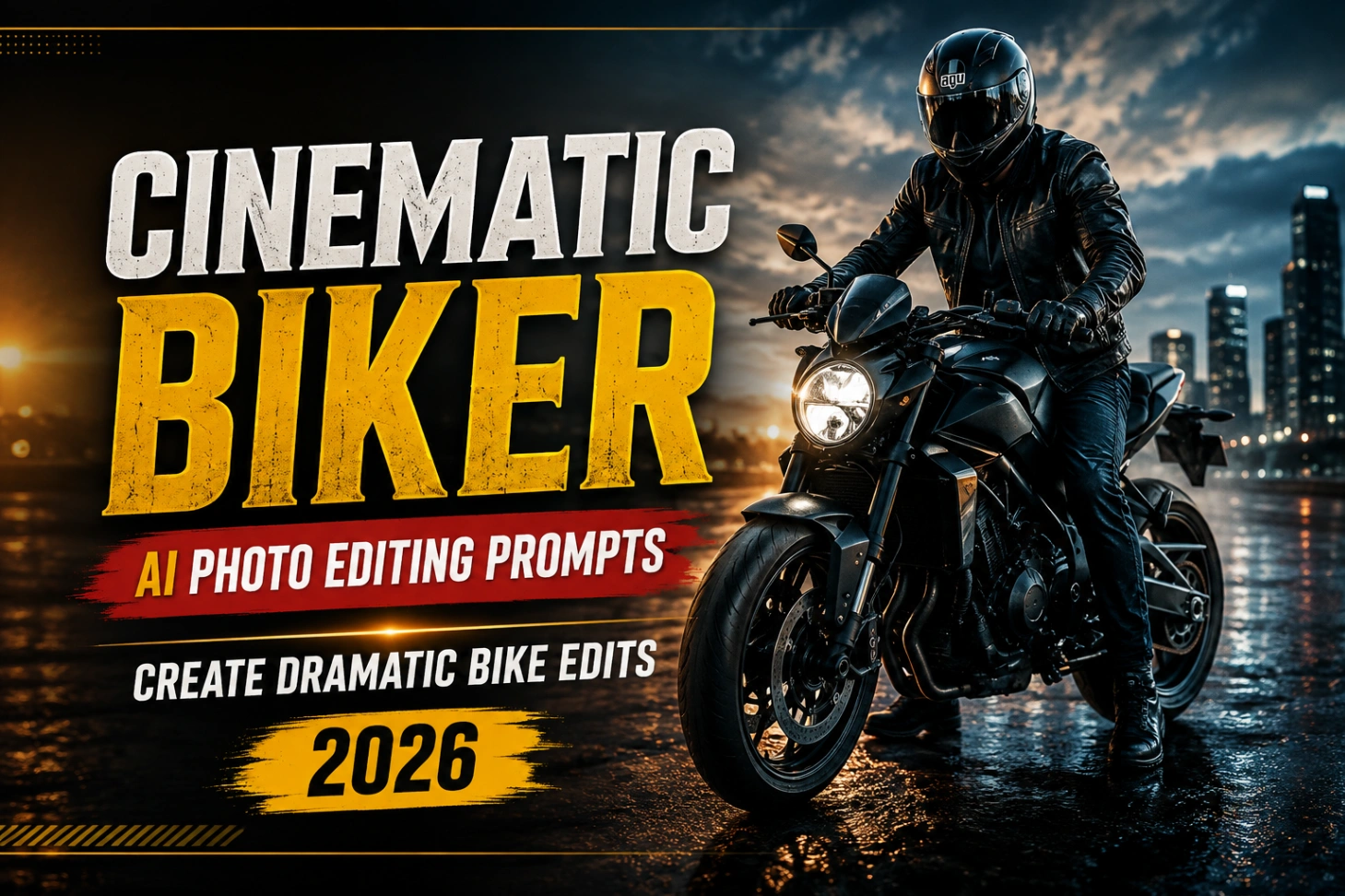
Cinematic Biker Photo Editing Prompts: 5 AI Bike Scenes

A plain photo of you on a bike is fine. A cinematic one, with fog in the trees, golden light on the tank and a road that looks like a film set, is the one that gets shared. These cinematic biker ai photo editing prompts do that rebuild for you. Below are five ready scenes: a retro classic bike on an empty road, a foggy forest ride, a KTM-style street bike, a golden hour meadow and a quiet lakeside stop. Copy a biker ai photo prompt, add your photo in Gemini, and keep your face exactly yours while everything around you changes.

Cinematic Biker AI Photo Editing Prompts

What to Upload Before You Generate

The AI copies your face and body from the photo you give it, so that photo quietly decides the quality of everything. Use a clear shot where your full face is visible, taken in daylight, with no helmet or sunglasses hiding your features. Sitting poses transfer best onto bike scenes. If your only good photo is a selfie, crop it at the waist, not at the neck, so the AI understands your build. Blurry or dark night shots are the main reason a cinematic bike photo editing prompt returns a face that is almost you, but not quite. The same base-photo rule decides the quality of car mirror selfie AI edits too, so it is worth fixing once and reusing the same photo everywhere.

Five Bike Scenes, Ready to Copy

Every scene below keeps your identity, face and hairstyle locked. Only the bike, the place and the light change.

1. Helmet On, Retro Classic Bike

A yellow and blue full-face helmet, an oversized graphic tee and a black retro motorcycle on an empty road. Pure poster energy.

AI Photo Editing Prompt

A cinematic full-body shot of a young man wearing a vibrant yellow and blue full-face motorcycle helmet, leaning stylishly against a black retro classic motorcycle on an empty paved road. The rider is wearing an oversized white streetwear t-shirt with graphic print, relaxed loose black trousers, and clean white sneakers. The bike’s round vintage headlight is lit with a warm yellow glow. The road is bordered by dense green trees and vibrant bright pink bougainvillea flower bushes. High-contrast lighting with a dramatic bright golden sun flare coming from above, dark moody pavement, professional Lightroom color grading, 85mm portrait lens effect, highly detailed, photorealistic.

✅ Prompt Copy ho gaya!

2. Foggy Forest Ride

This one transforms your existing photo instead of building a new scene: dense white fog, deep green colour grading and a quiet mystery mood.

AI Photo Editing Prompt

Transform this image into a breathtaking ultra-realistic foggy forest masterpiece. Add dense natural white fog covering the entire environment, creating a mysterious and cinematic atmosphere. Apply rich forest-inspired color grading with deep emerald green, dark teal, moss green, and earthy brown tones. Enhance the trees, foliage, and background elements to resemble a lush enchanted forest hidden in the mist. Introduce soft volumetric light rays subtly penetrating through the fog, creating depth and realism. COARIncrease overall image quality to ultra-high-definition 4K resolution with razor-sharp details, HDR enhancement, realistic textures, balanced contrast, and natural color harmony. Improve shadows, highlights, and dynamic range while maintaining a realistic appearance. Add a moody woodland aesthetic, dreamy fog layers atmospheric perspective, and professional cinematic photography grading. The final result should look like a premium DSLR forest photograph captured during a cold mist

✅ Prompt Copy ho gaya!

3. KTM-Style Street Bike, Premium Locality

You on a white and black street bike in an upscale residential area. Sharp, rich and very Instagram.

AI Photo Editing Prompt

Transform my uploaded photo into a realistic cinematic motorcycle portrait while keeping my exact identity, face, hairstyle, skin tone, and natural proportions unchanged. Place me naturally on a white/black KTM-style street bike in an upscale residential setting, wearing a cream sweatshirt, grey jeans, white sneakers, and a graphic full-face helmet. Use a vertical 4:5 composition, slightly low 35mm perspective, full bike visible, sharp subject, and soft background blur. Add warm cinematic highlights, deep shadows, muted colors, natural skin tones, subtle haze, and professional DSLR-style color grading. Make it look like a real premium motorcycle photoshoot, not AI-generated.

✅ Prompt Copy ho gaya!

4. Golden Hour in an Open Meadow

A dark graphic tee, a naked street bike and a wide green field at sunset. The warmest look in this set.

AI Photo Editing Prompt

Transform my uploaded photo into a cinematic golden-hour motorcycle portrait while preserving my exact identity, face, hairstyle, skin tone, and natural proportions. Place me casually on a black/grey naked street bike in a vast green meadow, wearing a dark oversized graphic T-shirt, black cargo pants, light sneakers, and a matte full-face helmet, with the full motorcycle visible. Use a vertical 4:5 composition, low 35mm perspective, dramatic glowing sunset sky, warm rim lighting, and atmospheric depth. Apply rich cinematic grading with golden highlights, muted olive greens, deep shadows, natural skin tones, soft haze, subtle film grain, and DSLR-quality contrast. Make the final image look like a real professional golden-hour motorcycle photograph, not an AI-generated or artificial edit.

✅ Prompt Copy ho gaya!

5. Lakeside Stop in the Mountains

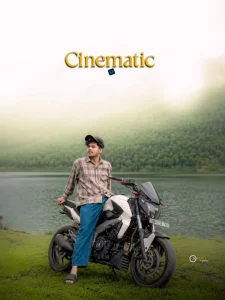
A checked shirt, a sporty naked bike and a calm mountain lake behind you. Pick this one if you want a travel feel in the frame.
AI Photo Editing Prompt

Transform my uploaded photo into a cinematic lakeside motorcycle portrait while preserving my exact identity, face, hairstyle, skin tone, and natural proportions. Place me naturally on a white/black sporty naked bike beside a calm mountain lake, wearing a brown checked shirt, blue relaxed jeans, and black sandals, with a casual sideways pose and full motorcycle visible. Use a vertical 4:5 composition, slightly low 35–50mm perspective, misty green mountains, soft fog, and a bright hazy sky. Apply muted cinematic colors, soft creamy highlights, controlled shadows, cool atmospheric tones, natural skin, matte contrast, subtle grain, and DSLR-style grading. Make it look like a real professional lakeside motorcycle photograph with realistic textures, lighting, shadows, reflections, and depth.

✅ Prompt Copy ho gaya!

Little Things That Make It Look Like a Film Still

Three details separate a movie look from a normal edit. The first is light with a direction: sunrise, sunset or fog, never flat noon light. The second is a background that fades or moves, either mist, soft blur or an open road stretching behind you; our background motion blur prompts push that speed feeling even further. The third is colour grading, usually teal shadows with warm skin tones. Riders who shoot at night can borrow the mood of our cinematic red studio light prompts for a neon version of the same idea.

When the Result Looks Wrong, Fix This First

Hands on the handlebar are the most common failure, followed by melted number plates and slightly bent wheels. Regenerate once before you change anything, because the second try often fixes small errors on its own. If the face drifts, go back to a clearer source photo instead of adding more words to the prompt. And keep readable text out of the scene by asking for a plain number plate, since AI still cannot spell reliably. For more ready scenes in other styles, browse our Gemini AI prompt copy paste set and the ChatGPT photo editing prompts collection.

Create Your Image

Biker Editing Questions, Answered Straight

Do I need a photo of myself on a bike to use these?

No. Any clear photo of you works. The prompt builds the bike, the clothes and the scene around you, which is the whole point of this editing style.

Will the edit change my face or hairstyle?

It should not. Every prompt here tells the AI to keep your exact face, hairstyle, skin tone and proportions. If the face changes, the uploaded photo was likely too dark, too small or partly covered.

Which size should I choose for Instagram?

Pick 9:16 or 4:5 before generating. Vertical frames suit bike portraits, fill the phone screen better and usually get more reach than square posts.

Can girls use these biker prompts too?

Yes, the scenes are not locked to boys. Change the outfit words in the prompt to your own style, keep the identity line and the bike details the same, and generate.