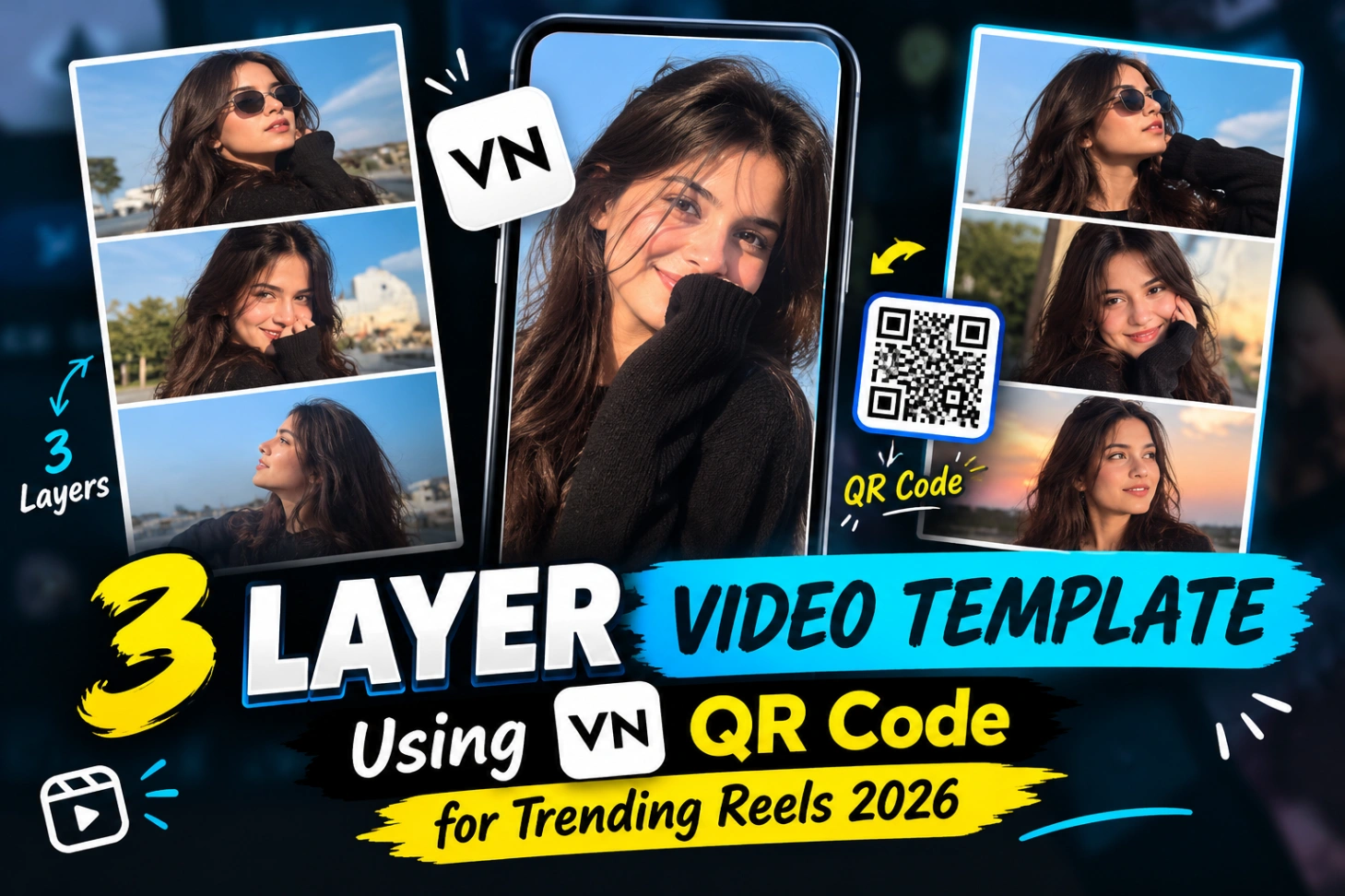
3 Layer Video Editing Template for VN (QR Code Guide)

Scroll through Reels for two minutes and you will spot this format again and again: the screen splits into three moving frames, each showing a different clip, and then everything merges into one full screen shot right on the beat. That is the 3 layer video template style, and I put off trying it for weeks because it looked like hours of manual layer work.
It is not. With a ready 3 layer vn template and its QR code, the layout, timing and transitions are already built for you. You only bring three clips of your own and a few minutes of patience.

So What Is a 3 Layer Template, in Plain Words?
A three layer video editing template is a ready-made VN project that holds three clips in three separate frames, stacked or split across the screen. Each frame can enter at a different moment, hold for a few beats, and then give way to a single full screen sequence.
Because the frames move independently, even simple footage starts feeling busy and polished. Three poses, three angles or three small dance moves suddenly look like a planned production instead of one flat clip.
To understand what the template saves you, picture the manual route. You would place three clips on separate tracks, resize and position every frame by hand, set keyframes for each entrance, match every transition to the music, and repeat that for every new Reel. The template has already done that maths once, properly. You are only swapping the footage inside a finished structure.
The QR Code Is the Whole Shortcut
Templates like this travel around as QR codes. Instead of rebuilding three layers, keyframes and transitions yourself, you save the QR image, scan it inside VN, and the finished project structure opens in your app with sample clips sitting in the three frames.
Your only real job after that is replacing those sample clips with your footage and checking that nothing important gets cropped. Here is the code and a look at the template frames:


If scanning codes inside VN is new to you, the instagram viral trending vn qr template post explains the same import method with a different trending project.
Using the 3 Layer VN Template: Full Walkthrough
- Save the QR code image above to your phone gallery. Make sure it is sharp and fully visible, not cropped.
- Open the VN Video Editor app and find the scanner or QR option on the home screen.
- Import the saved QR image from your gallery and let VN open the template project.
- Tap Use Template, then select the three video clips you want in the frames.
- Open each frame once and adjust position or scale so faces and main subjects are not cut off.
- Preview the full video and watch the moment where the frames merge into the full screen shot.
- Export in 9:16 for Reels and save the finished video to your gallery.
That is genuinely the whole process. Most of your time will go into picking clips, not into editing, and the same flow works for other layered projects like the chalrey chalrey wall mode vn code template.
Pay special attention to step six. The merge point, where three frames become one full screen shot, is the moment viewers judge. If your full screen clip starts a fraction late or the framing jumps, the whole edit feels homemade. Most templates let you nudge that clip’s start position slightly, and thirty seconds spent there improves the final video more than any effect you could add.
Film Your Three Clips Before You Open the App
The template cannot fix weak footage, so record with the frames in mind. Keep the phone steady, use a plain background so you stay readable inside a smaller frame, and keep the light similar across all three clips. Mixing a bright outdoor clip with two dark indoor ones looks broken no matter how good the template is.
Plan the variety in advance: three poses, three expressions, or the same move from three angles all work well. And respect the crop. Some frames inside these templates are landscape shaped even though the final Reel is vertical, so leave space around yourself while recording. Editors who like motion based formats also enjoy the motion pattern effect video editing vn code template for the same reason, the movement is built in.
The Same Trick in CapCut, With One Catch
CapCut can also combine three clips into split frames, and it has its own three clip templates. The catch is availability: the exact trending layout you saw on a Reel is usually shared as a VN code, so rebuilding it elsewhere means recreating the timing by hand. If you already use VN, staying there is simply faster. Plenty of editors keep both apps installed for this reason, VN for code based trends like this one and CapCut for its own template library. For fresh CapCut ideas, browse the all new trending capcut template collection.
Why Three Frames Hold Attention Better Than One Clip
A single clip Reel shows the viewer one thing at a time, and the eye gets bored quickly. In the three layer format something is always arriving: a new frame slides in, the pose changes, the angle changes, and then the full screen reveal lands like a small payoff. That constant small change is exactly what keeps people watching to the end.
The effect doubles when the frames move with the music. Songs with clear beats give the template natural cut points, so each frame change feels intentional rather than random. This is also why the same footage can look ordinary in a normal edit and genuinely entertaining inside this layout.
Four Problems That Waste Everyone’s First Attempt
- Blurry QR image. A compressed or badly cropped code will not scan. Save the original image, not a screenshot of a screenshot.
- Faces cropped inside frames. Every frame crops differently. Check all three frames before exporting, not just the first.
- Expired template. Old codes sometimes stop opening. If a code fails, look for its newest version instead of retrying the same file.
- Outdated VN app. Template features change between versions. Update VN before blaming the code.
One last habit worth building: watch the exported video once before posting it. Black gaps, missing audio and a face cut in half only reveal themselves on a full watch, and they take two minutes to fix at this stage. For edits built around background images rather than layers, see these instagram editing picsart background hd ideas.
3 Layer Doubts, Answered for First-Time Users
Do I need VN Premium to use a template?
No. Scanning a QR code, opening the project and replacing clips all work in the free version of VN. Premium only matters if the template itself uses a paid effect, which is rare in this format.
Why is my QR code not scanning?
Almost always the image quality. Use the original saved image instead of a compressed forward, keep the full code inside the frame, and increase your screen brightness if you are scanning from another phone.
Can I put photos instead of video clips in the three frames?
Yes, VN accepts photos in the frames, and the template will hold them for the set duration. Short video clips look more alive, but photo versions of this trend also perform well.
Which ratio should the final video be?
Export in 9:16 vertical. Nearly all 3 layer templates are designed around the Reels and Shorts frame, even when the individual clips inside are landscape.
Can I change the song in the template?
You can swap the audio track in VN, but the frame changes were timed for the original beat. If you change the music, re-check the preview, because a new beat can make the transitions feel late.

